
JEYI · Computer Components
SSD M.2 NVMe to PCIe 4.0x1 adapter card
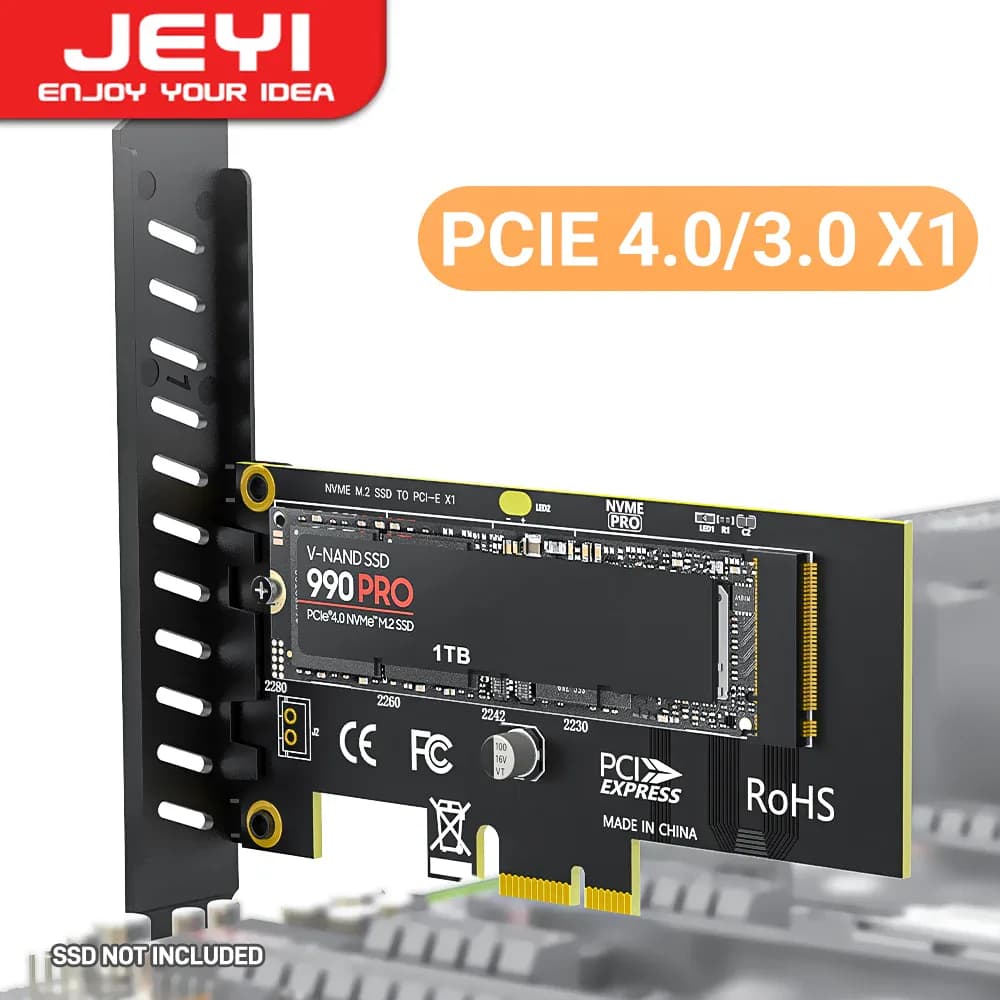
The JEYI M.2 NVMe SSD adapter card to PCIe 4.0x1 allows installing an NVMe SSD drive on a PC lacking a dedicated slot. This converter offers reliable and fast connectivity with the included support.
Rated 4.7/5 based on 56 customer reviews.Model: PCIE X1 4.0
Quantity
- Secure payment
- 14-day returns
- 24/7 support
Product details
The Essentials
Brand JEYI Interface Type PCI Express Supported Standard PCIe 4.0x1 Theoretical Throughput Up to 16 Gbps Compatible SSD Formats 2280, 2260, 2242, 2230 Model SK1 Certification RoHS Operating Systems Windows 10, Windows 11, Linux Product Technical Advantages
The multilayer design and gold-plated interface ensure stable data transmission.
- The built-in heat sink protects the M.2 SSD from overheating during intensive use. The gold-plated interface guarantees a robust connection resistant to oxidation.
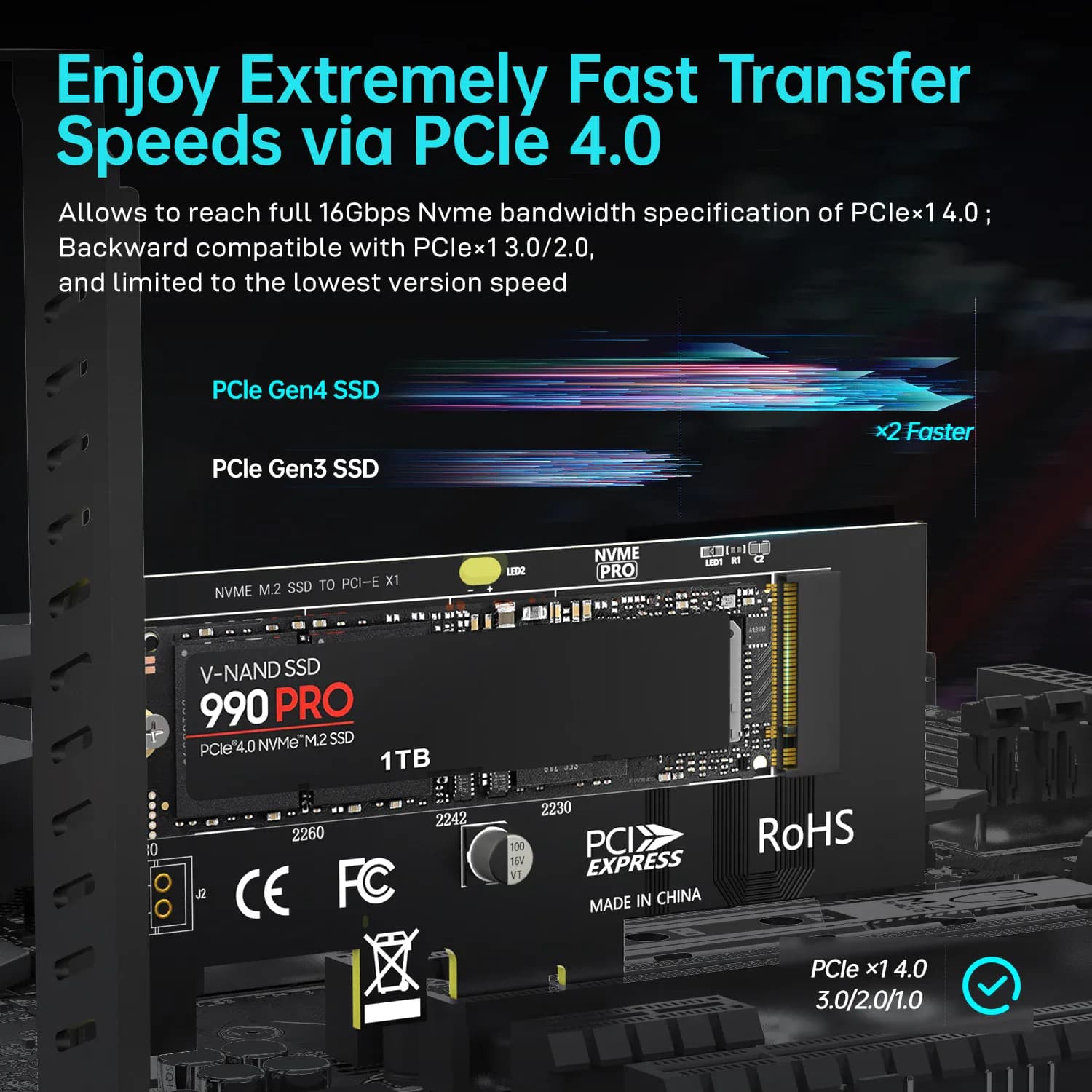
- Support for the PCIe 4.0x1 standard offers a theoretical bandwidth of up to 16 Gbps. Backward compatibility allows connecting the drive to previous versions of the PCI Express standard.
Compatibility and Installation
Compatible with PC motherboards equipped with a PCIe slot, with a driver required for Windows 7.
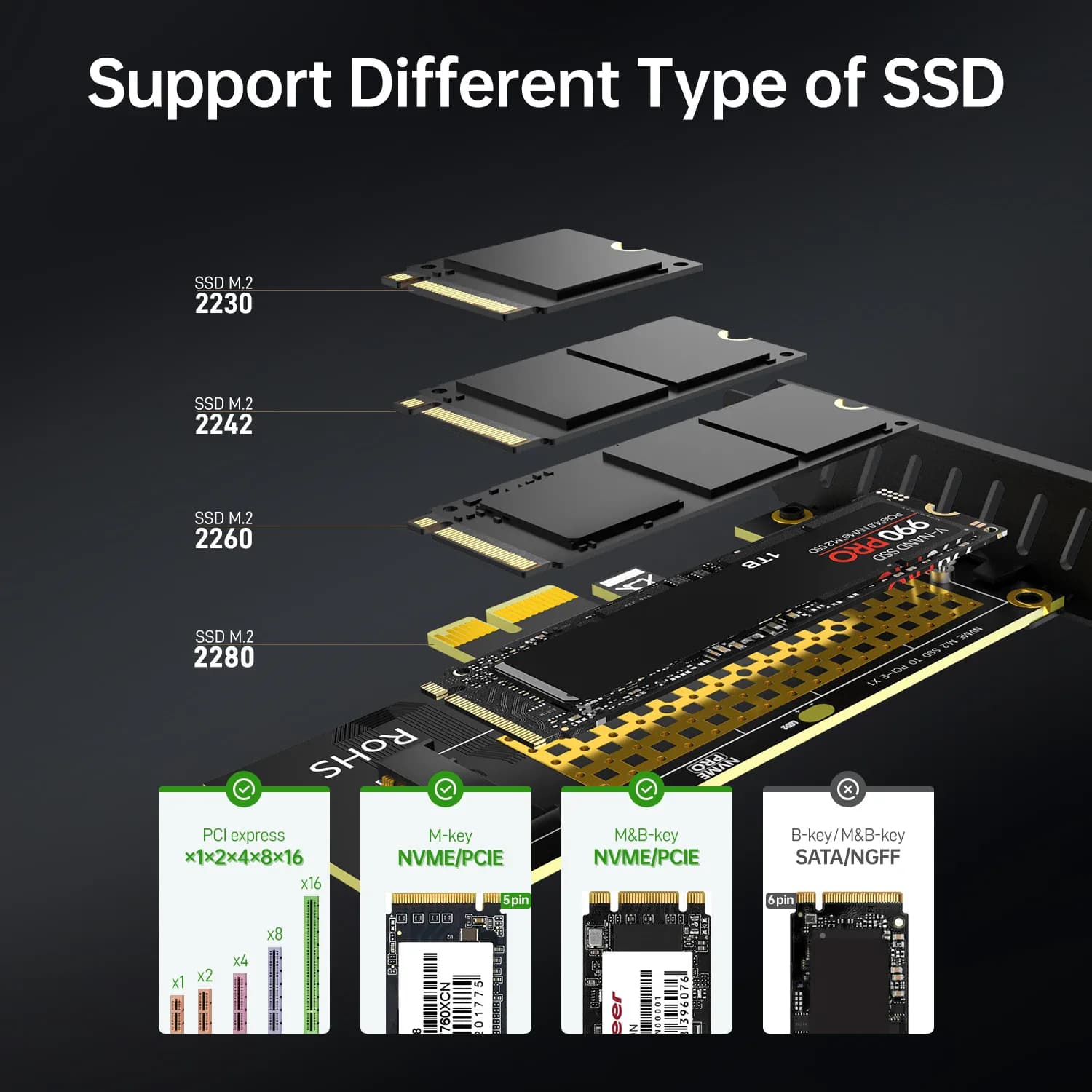
- The adapter is designed to fit into PCIe x1, x2, x4, x8, or x16 slots on a desktop computer. It supports NVMe M.2 SSDs in 2280, 2260, 2242, and 2230 formats.
- It is compatible with PCIe 1.0, 2.0, 3.0, and 4.0 interfaces. For use on Windows 10 and Windows 11, no additional driver is required. Under Windows 7, an NVMe driver must be installed manually.
Installation and Usage
The adapter installs directly into a free slot on the motherboard via the PCIe interface.
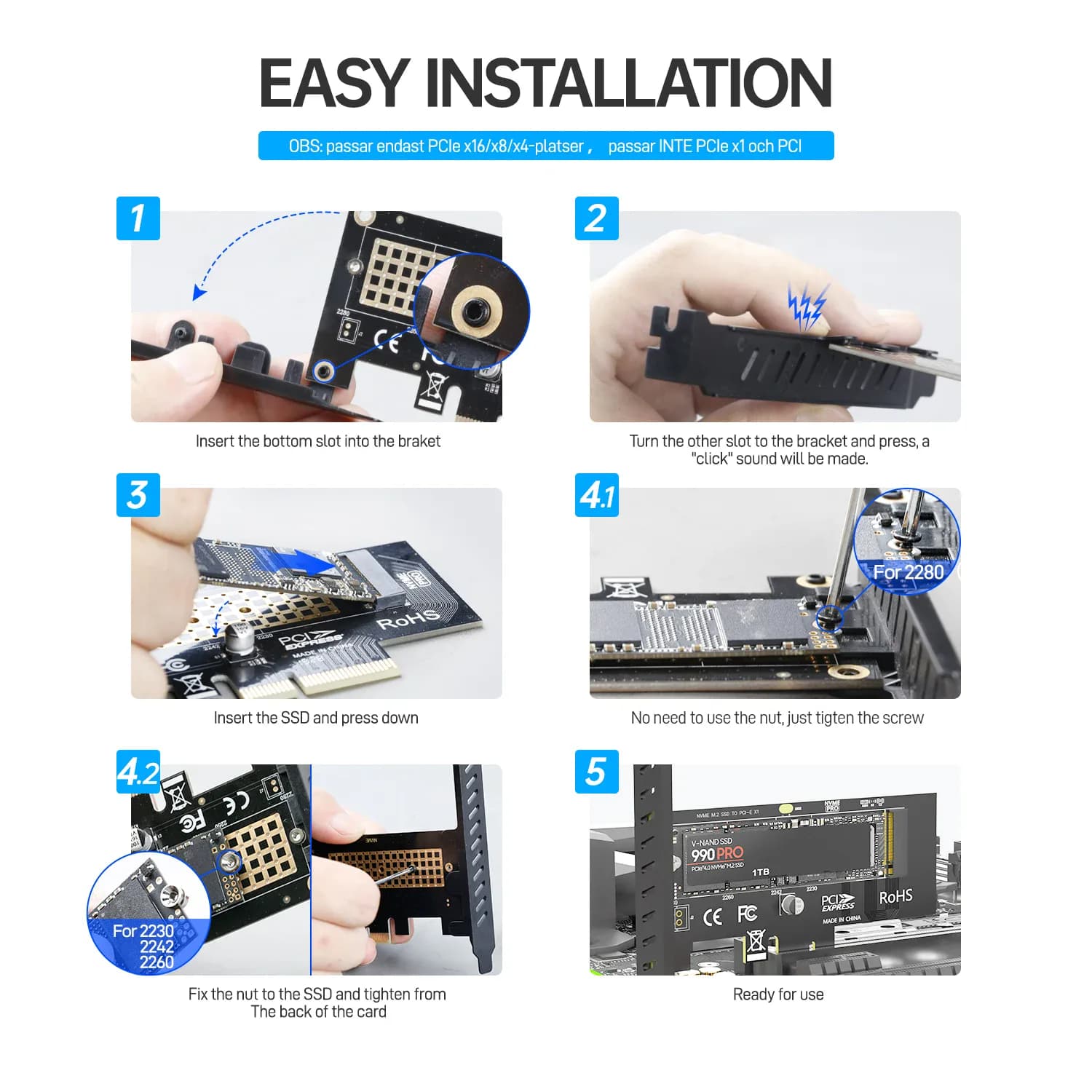
- Firmly insert the adapter into the PCI Express slot on the motherboard. Then secure the M.2 SSD using the provided screw. Secure the card in the computer case using the metal bracket and case screw. The system should detect the drive at boot if the BIOS supports it.
Frequently Asked Questions
Which operating systems require a driver?
Windows 10 and Windows 11 do not require any driver. Windows 7 and Windows Server 2008 R2 require manual installation of an NVMe driver to function correctly.
Is it possible to connect the SSD to a PCI port?
No, connect the product exclusively to a PCI Express slot. Plugging it into a standard PCI interface will damage the motherboard and the drive.
What M.2 SSD formats are supported?
The adapter is compatible with 2280, 2260, 2242, and 2230 formats. It supports NVMe protocols over PCIe.
Explore Related Categories
Customer reviews
Loading reviews…
Frequently asked questions
Which operating systems require a driver?
Windows 10 and Windows 11 do not require any drivers. Windows 7 and Windows Server 2008 R2 require manual installation of an NVMe driver to function properly.
Is it possible to connect the SSD to a PCI port?
No, connect the product exclusively to a PCI Express slot. Plugging it into a standard PCI interface will damage the motherboard and the drive.
What M.2 SSD formats are supported?
The adapter is compatible with 2280, 2260, 2242, and 2230 form factors. It supports NVMe over PCIe protocols.